
Inventory syndication · Google
Google Vehicle Ads integration that keeps your cars in your Google ads automatically
Put your cars in front of shoppers on Google and sell them faster. With the integration on in AutoDealer.io, the cars you publish stay in your paid Google Vehicle Ads automatically and sold cars leave on their own. The ads run on your own Google accounts and start once Google has set you up.






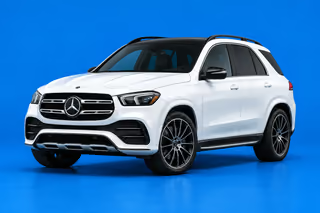

Who does what
What the integration does for your Google ads
Puts your cars in your ads
Cars you publish for sale reach your Google ads with their price, photos, mileage, exterior color and 17-character VIN.
AutomaticFollows your changes
Change a price or a photo in AutoDealer.io and your ads follow, with no second list to keep up.
UpdatedTakes sold cars out
Mark a deal sold and the car leaves your Google ads on its own, because Google wants cars for sale only.
On its ownLeaves the ads to you and Google
You own the accounts and pay Google directly. AutoDealer.io never buys or runs your ads, and Google decides what it accepts.
Your Google accounts
What you get
Google Vehicle Ads integration: paid ads that follow your inventory
Google Vehicle Ads show your cars to shoppers on Google, from an ad account you own. With the integration turned on, those ads follow the inventory you already manage in AutoDealer.io, so shoppers see the cars you can actually sell and you sell them faster.
Clicks come to your own website
The ad opens the car's page on your website, and the form on that page goes to your Leads page.
Your ad money stays on cars you have
Sold cars leave your ads on their own, so you are not paying Google to promote a car that is gone.
Your cost stays off Google
Your ads show your asking price. Your cost, your customers and your deals never reach Google through AutoDealer.io.
In AutoDealer.io
You publish a car
For sale, with its mileage, exterior color and 17-character VIN.
In your Google accounts
It joins your ads
Automatically, in the Google Ads campaign you run and pay for.
On Google
A shopper clicks your ad
They land on the car's page on your website, and its form goes to your Leads page.
Sold? It leaves your Google ads on its own.
Get started
How to get your cars into Google Vehicle Ads
Have your Google accounts
You need Google Merchant Center, a Google Ads campaign and a Business Profile for each lot. All of it is yours, and you pay Google directly.
Turn on Google Vehicle Ads
Go to Settings, Marketplaces and turn it on. Only owners and managers can do this.
Add it in Merchant Center
Follow the steps on the card to add it in your Google Merchant Center. Google runs its own one-time data review, and once Google has set you up, your ads can run.
You pay Google directly, and AutoDealer.io never buys or runs your ads. Google decides what it accepts and what appears on its site. Google is a trademark of its respective owner; AutoDealer.io is not affiliated with or endorsed by Google.
Questions
Google Vehicle Ads questions
Can AutoDealer.io keep my Google Vehicle Ads current?
Yes. Turn on Google Vehicle Ads under Settings, Marketplaces, then add it in your Google Merchant Center with the steps on the card. Google runs its own one-time data review. Once Google has set you up, the cars you publish stay in your ads automatically.
Are Google vehicle listings free?
No. Google ended free vehicle listings in 2025, and cars appear through paid Vehicle Ads. You pay Google directly for them.
What does the integration cost?
It is included in every AutoDealer.io plan. Your ad spend is between you and Google: AutoDealer.io never buys or runs your ads.
Where do leads from my Google ads go?
A shopper who clicks your ad lands on the car's page on your website. The form on that page goes to the Leads page in AutoDealer.io.
Keep your Google ads in step with your lot
One system for your inventory, website and deals, with Google ads that follow your cars. The integration is included in every plan.
14-day free trial. Nothing is charged until it ends.